Stokkd v4 Is Almost Here: Everything That's New
Stokkd v4 is almost here: live updates on every device, a guided finalization process, an installable app with push notifications, and a faster count screen.
Stokkd Team5 min read
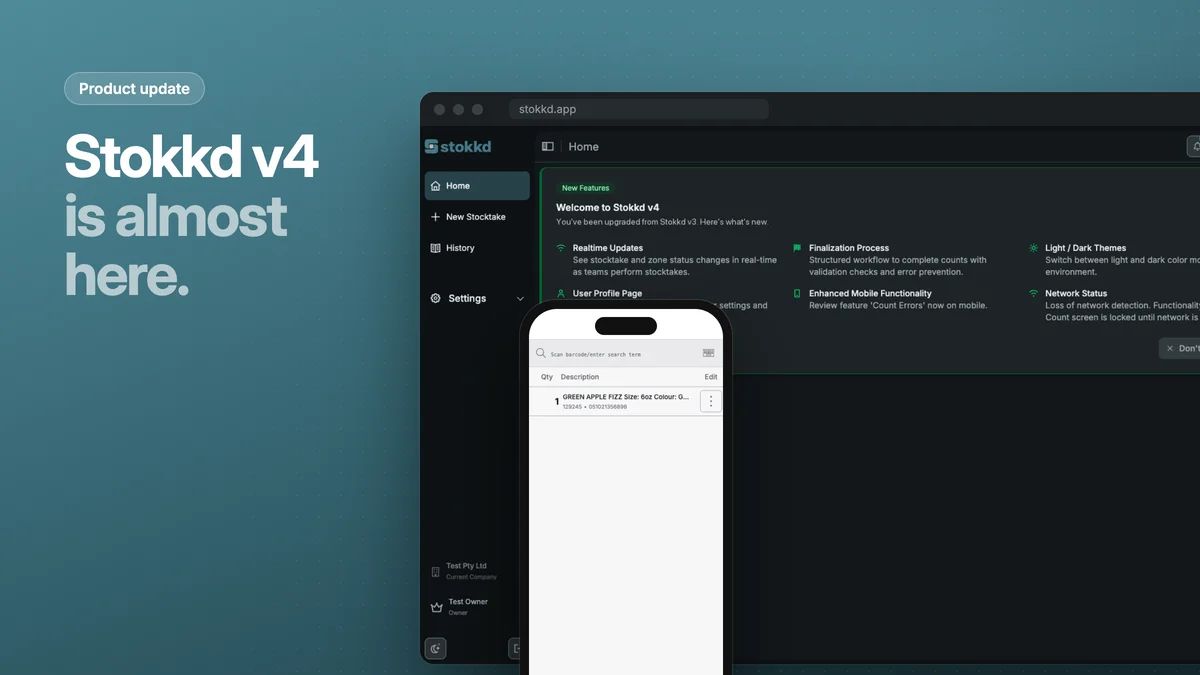
Overview
Stokkd v4 is the biggest update we've ever built, and it's almost ready. When you move from Stokkd v3, you'll notice the difference straight away. We've rebuilt the counting experience, added the features teams have been asking for, and modernized every part of the platform.
Here's what's coming in v4.
Live Updates, No More Refreshing
In v4, your team's work shows up live on every device. When someone starts counting an area, finishes it, or locks it, everyone else sees it straight away. Overall stocktake progress refreshes about once a minute.
No more refreshing pages and wondering whether what you're looking at is current. Coordinating a large stocktake is faster, and mistakes caused by out-of-date screens go away.
One Login for All Your Companies
With v4, if you run more than one business, you can sign in once and switch between companies from the company menu. No more signing in and out, and no separate accounts to juggle.
Owners can also manage their users across all their companies from one place, which makes Stokkd much more practical for retail chains, hospitality groups and 3PL operations.
A Guided Finalization Process
In v4, finishing a stocktake is a step-by-step, guided process, not just a "post" button.
Before finalization starts, every area has to be counted. Once it starts, counts can't be changed by accident. The app then walks you through each step: reviewing the variances against your expected quantities, making any final adjustments, and confirming before anything is posted. Nothing is posted until you say so.
Finalization is done on a computer or tablet, and only one device runs it at a time, so two people can't finalize the same stocktake at once.
A Faster Count Screen
The count screen, where your team spends most of its time, has been redesigned. The layout is cleaner, the menu is quicker to use on a phone, and the actions you use most are always within reach.
Switch between Auto, Manual and Percent counting from the menu whenever you need to. Percent counting is ideal for part-used stock such as open bottles.
Use Your Own Devices and Scanners
Stokkd runs on the phones and tablets you already have. Pair a low-cost Bluetooth barcode scanner and the app's built-in keyboard keeps working alongside it, so you can type and scan on the same device. Handheld Android scanners with a built-in barcode reader work too.
An App You Install
Stokkd v4 is a Progressive Web App (PWA). On phones and tablets it runs as an installed app: full screen, with no browser bars in the way, and it can receive push notifications.
The login page walks you through installing it. On Android it's one tap; on iPhone and iPad you add it to your home screen from the Share menu. It takes about 10 seconds.
Push Notifications
With the app installed, you can receive Stokkd notifications on your device, such as stocktake status changes, replies to your support requests and important system messages. Notifications work on Android and on iPhone and iPad (iOS 16.4 or later) once the app is installed. They also appear in the notification inbox inside the app.
Connection Checks While You Count
Counting on patchy warehouse Wi-Fi is a fact of life. v4 keeps checking your connection and pauses counting if it drops, so no scan is lost or saved twice.
When the connection goes, a clear message appears on the count screen. Once it's back, counting picks up again on its own.
Light and Dark Themes
v4 supports light and dark modes. You can change it from your profile at any time. Your choice is saved to your account, so it follows you to every device you sign in on.
Dark mode is easier on the eyes in dim stockrooms and on evening shifts.
Your Profile Page
Every user gets a profile page where you can see your details, change your password, manage your notifications and see the companies and sites you're linked to.
You can also choose your scan sound. Pick from three sound themes, saved to your account, which helps when several people are scanning in the same space.
Help Inside the App
In v4, help is built into the app. Tap the help button and you'll see the guides for the screen you're on, with no separate browser tab and no hunting around.
The guides are the same ones published in our documentation, and they're kept up to date as the product changes. If you need a hand, you can also message our team from the app and see replies as they arrive.
Shopify Integration
If you use Shopify, Stokkd v4 can connect to your store. Import each location's stock straight into a stocktake, then send the final counts back to Shopify when you post. Using a different system? Import and export files work with any of them. See Integrations for details.
Count Errors Review on Mobile
Count Errors review works on phones in v4. In v3 it was desktop-only. In a double-count stocktake you can review and fix the differences between the two counts from your phone, straight from the stocktake dashboard.
What's Next
We'll share the launch date as soon as it's set. v4 is also the foundation for a lot more to come. If there's something you'd like to see in Stokkd, get in touch. We'd love to hear from you.